How to Sign Up for PariPesa in Rwanda
There are three ways to open a Rwanda account: use our dedicated sign-up link, choose phone or email on the main PariPesa registration form, or register in the app. Keep the account country set to Rwanda, the currency at RWF, and check promo code BSR before you finish.
Register through the dedicated sign-up page
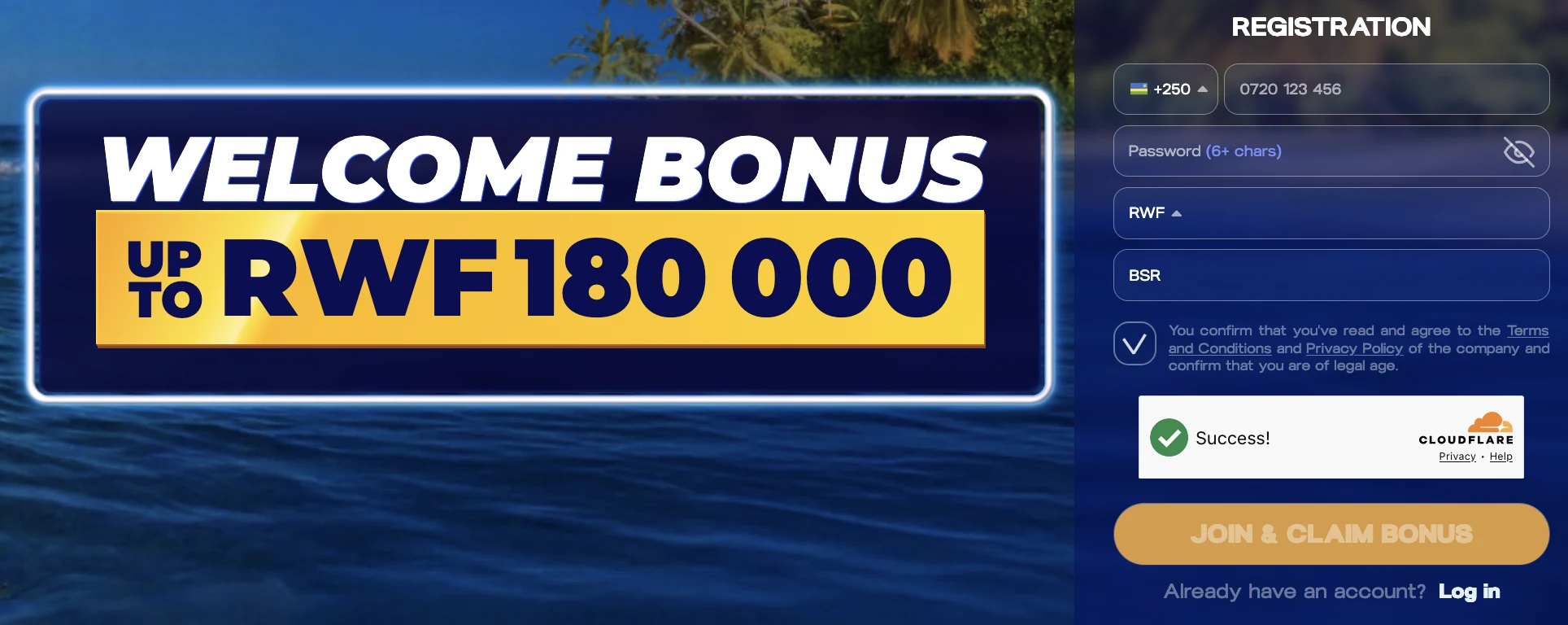
- Enter your Rwanda number. The form uses the +250 prefix. Use a number you can access for the confirmation code.
- Create a password and check RWF. The form requires at least six characters. Follow any additional rule displayed when you register.
- Confirm promo code BSR. Fill the promo-code field if BSR has not already appeared.
- Review the terms and submit. Read the operator terms and privacy policy, complete the on-screen verification, then select the registration button.
Confirm your phone number
After the form is submitted, PariPesa sends a confirmation code to the registered phone number. Acknowledge the message, enter the code from the SMS, and select Confirm Number to finish registration and activate the account.
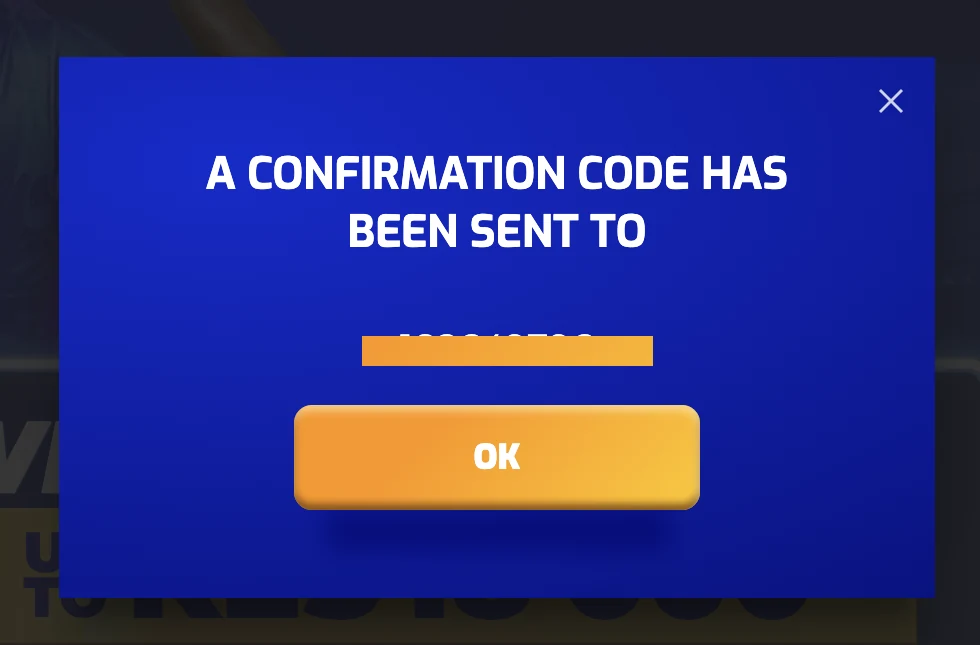
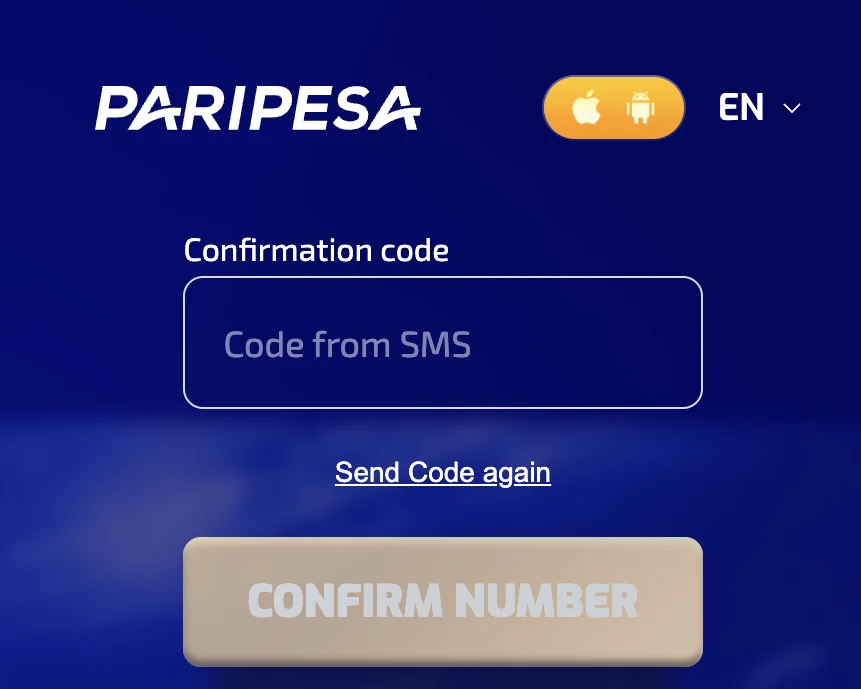
Use Send Code again if the SMS does not arrive, after checking the number and waiting for the first message. Keep the code private.
Register on the main website or in the app
The main PariPesa registration window has By phone and By e-mail tabs. The app uses the same account fields and confirmation flow. Choose one route, complete the matching form, and sign in to the same Rwanda account afterward.
SMS code inside the form
Choose By phone, enter your +250 number and select the SMS sending method. Tap Send via SMS, enter the code in the confirmation field, and select Confirm. Check RWF and promo code BSR, create and repeat your password, then select Register.
See the phone form and full steps →Complete your Rwanda profile
Choose By e-mail, set Rwanda as the country, select your region and city, and keep RWF as the currency. Enter your email and name, create and repeat your password, check promo code BSR, then select Register. Complete any email verification requested afterward.
See the email form and full steps →Promo code BSR belongs in the registration field; each sports or casino offer has its own eligibility, deposit and wagering conditions. Read the complete illustrated sign-up guide →
Main website: register by phone
Open Registration on PariPesa’s main website and choose By phone. Verify the number inside the form before selecting Register.
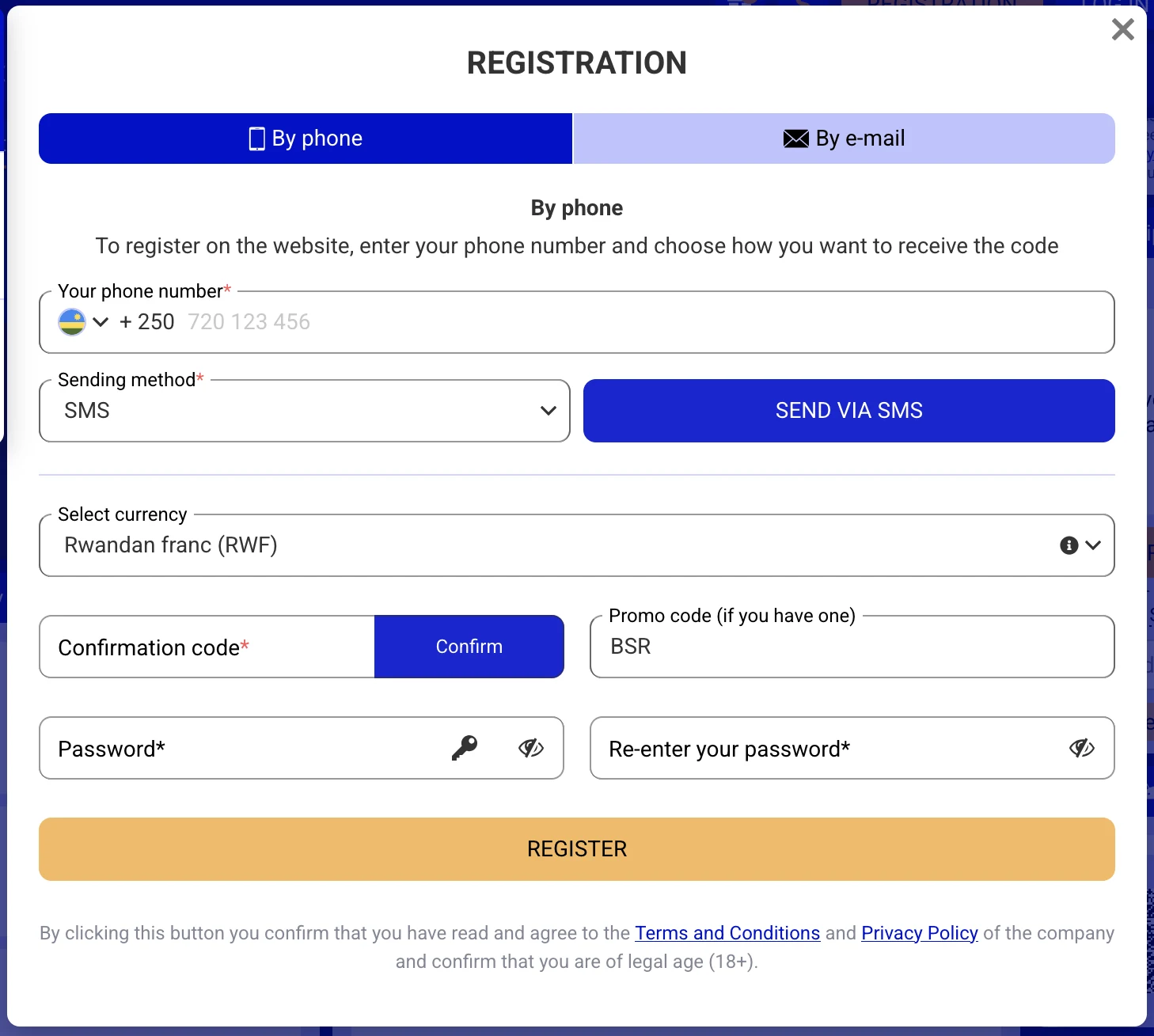
- Enter your +250 Rwanda phone number and select the sending method. The form shown uses SMS.
- Tap Send via SMS. When the code arrives, enter it in Confirmation code and tap Confirm.
- Set the currency to Rwandan franc (RWF), and enter or confirm promo code BSR.
- Create a password, enter it again, review the terms and privacy policy, and select Register.
Main website: register by email
Choose By e-mail if you prefer to start with an email address. The form asks for more profile details than the phone tab.
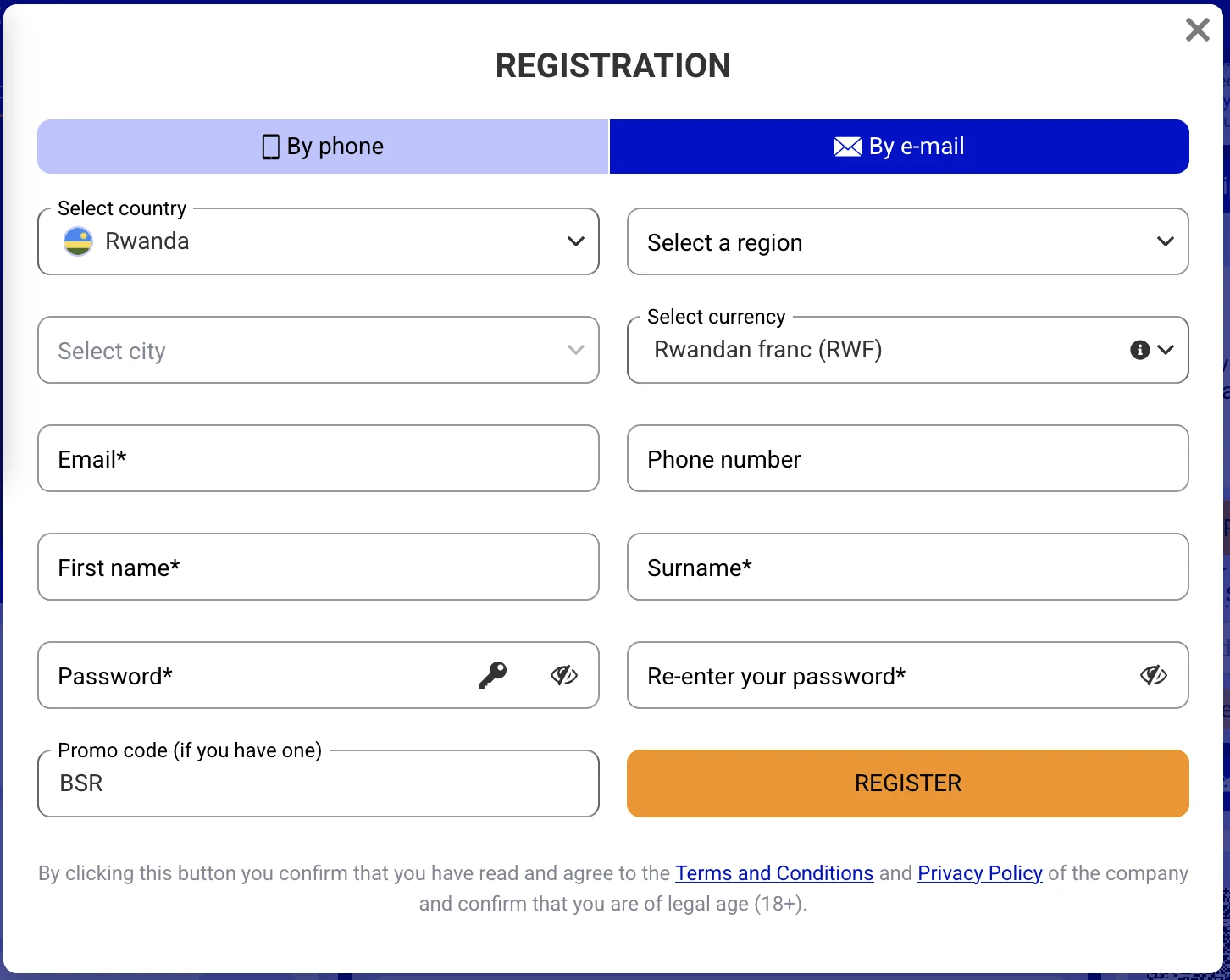
- Set Country to Rwanda and choose your region and city. Confirm RWF as the currency.
- Enter the required email, first name and surname. The phone-number field is also present; complete it if requested.
- Create a password, repeat it, and enter or confirm promo code BSR.
- Review the terms and privacy policy, select Register, and complete any email or phone confirmation shown for your account.
Register through the PariPesa app
Start with our PariPesa app download link, install the Android or iOS app, and open Registration. Choose the phone or email route available there. Enter the same Rwanda details as on the website: +250 for phone registration, Rwanda and RWF for the account, and promo code BSR in its field. Complete the code confirmation shown in the app and finish registration. Your login will work on the app and the website.
See the illustrated Android and iPhone installation guide →
Before you finish registration
- Country and currency: Rwanda and RWF.
- Contact access: use a phone number or email you can open for the confirmation step.
- Promo code: enter or confirm BSR before registering.
- Bonus choice: review the chosen sports or casino offer and its deposit and wagering conditions separately from the promo-code field.
If your code or registration does not work
Check the +250 number and your SMS inbox. On the dedicated sign-up page, use Send Code again if needed; on the main phone form, return to its SMS sending control. Enter the newest code exactly as received. For email registration, check the address and any confirmation message the site requests. If PariPesa says the phone number or email already belongs to an account, use login or password recovery for that account.