Get PariPesa on your phone in Rwanda
Open our app download link to reach PariPesa’s mobile landing page, then select Download for Android or iOS. One PariPesa account works across the app and mobile website. Use your registered +250 phone number, email or player ID to sign in, and keep RWF as the account currency. The mobile experience includes the sportsbook, live betting, casino, promotions, cashier and bet history.
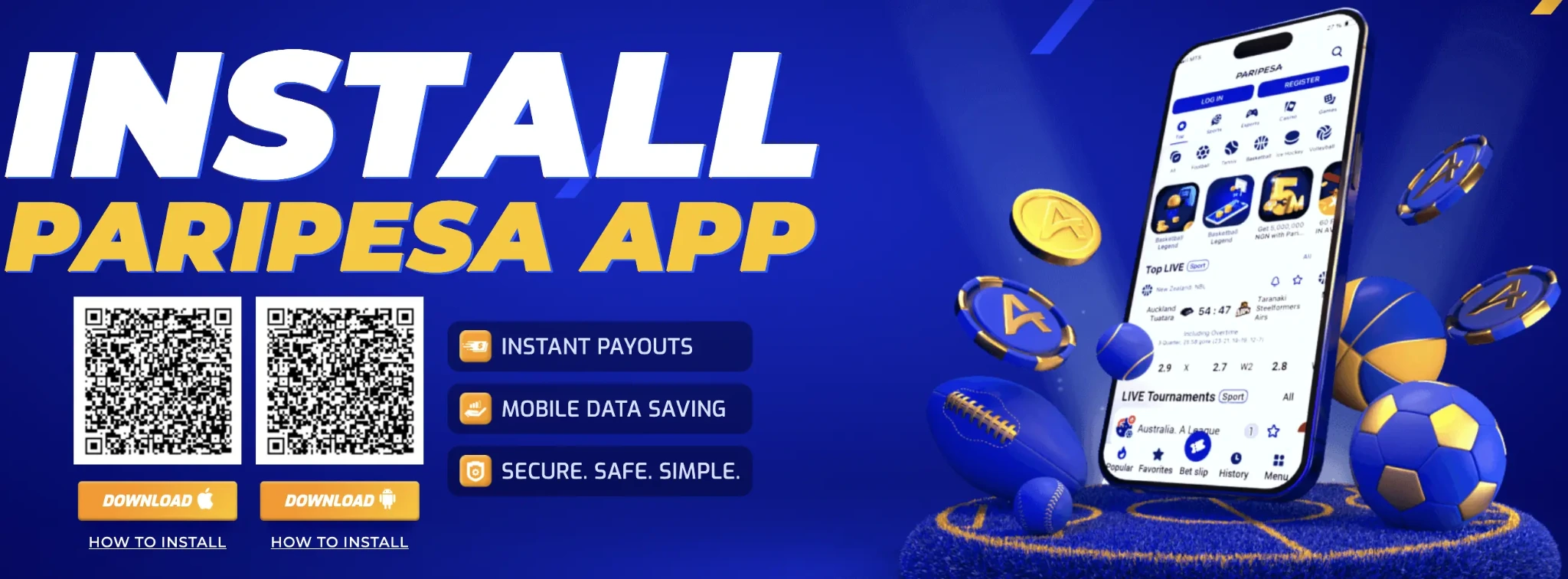

Download the Android APK
Open the app landing page, choose Android Download and follow the illustrated APK steps below.
DOWNLOAD FOR ANDROID ↗Open the iOS route
Open the app landing page, choose iOS Download and follow the illustrated App Store steps below.
GET THE iOS APP ↗Install the Android APK
Tap the PariPesa app link on your Android phone. On the landing page, tap Download under Android. The next two panels show the browser download, installation permission and completed app.
Download the file
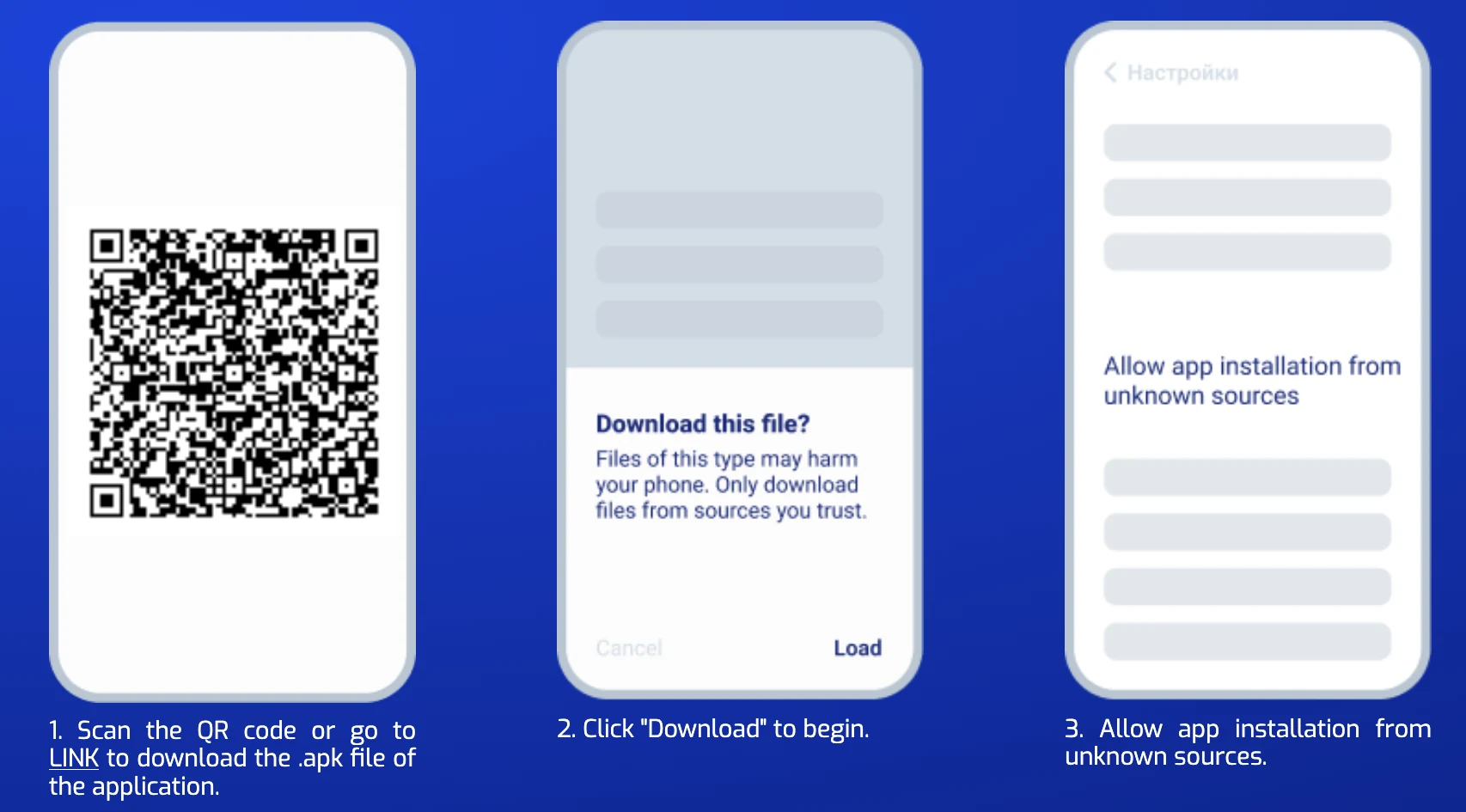
- Open the landing page. Use the app link above and tap the Android Download button.
- Confirm the download. Accept your browser’s APK download prompt and wait for the file to finish.
- Allow this installation. If Android blocks it, open the security prompt and allow installs for the browser or file manager handling this file.
Install and open PariPesa
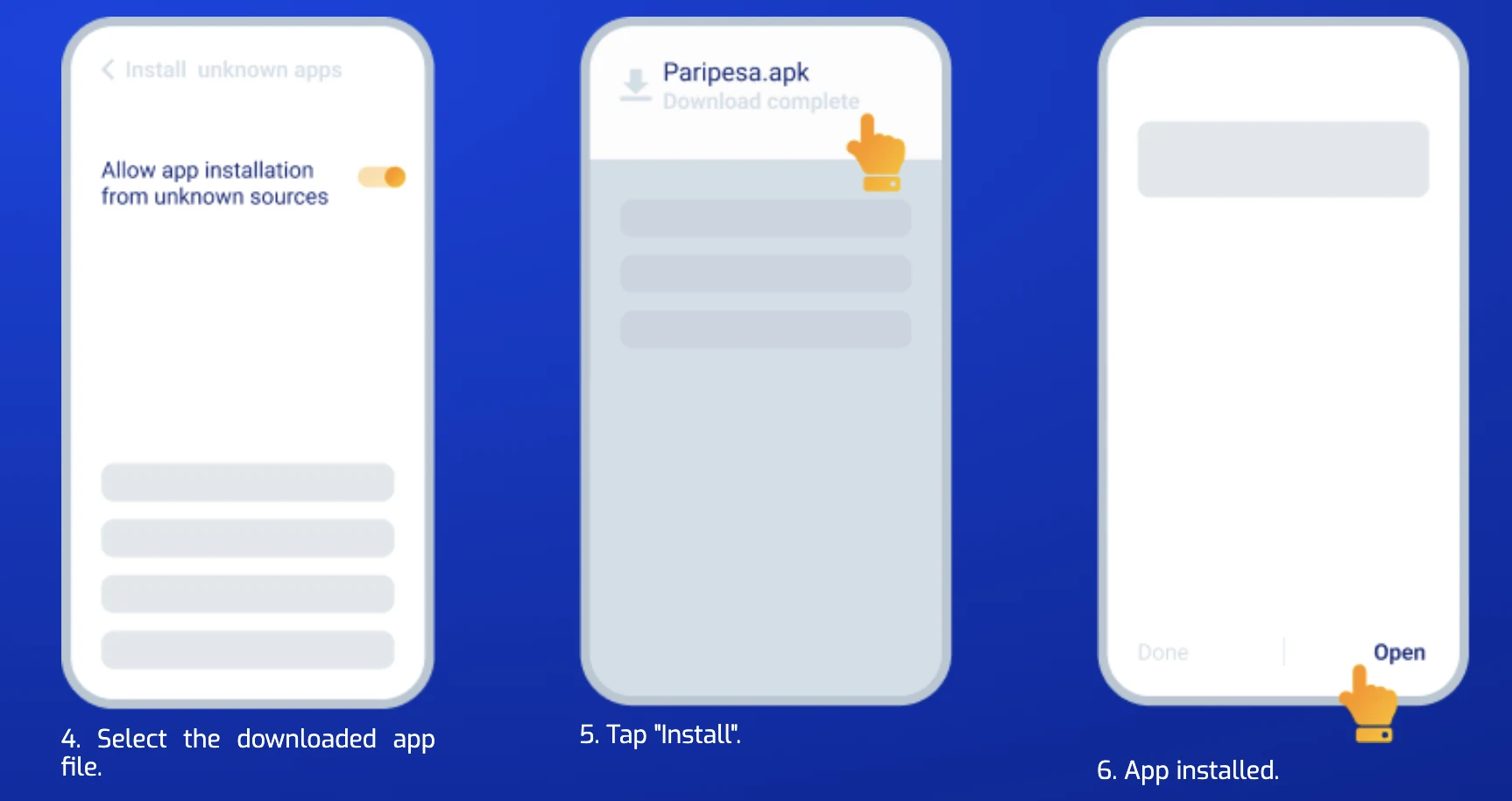
- Open the completed download. Find Paripesa.apk in Downloads or the browser notification. If prompted again, confirm the installation permission for that source.
- Tap Install. Review the app name and the Android prompt, then wait for installation to complete.
- Tap Open and sign in. Use your existing Rwanda account with its +250 number, email or player ID. Turn off the temporary install permission if you enabled it.
Download check: Get the APK through the PariPesa app page linked here. If the file does not open, check Downloads, storage and the install permission for the browser you used, then request a fresh download from the same page.
Download PariPesa on iPhone or iPad
Open our PariPesa app link on your Apple device and tap Download under iOS. If the App Store listing opens for your Apple Account, check the app name and publisher, tap Get and complete Apple’s confirmation. Then sign in to PariPesa with your existing Rwanda account.
If the listing is unavailable in your current App Store region, follow PariPesa’s illustrated Nigeria-store route below. The country change affects the Apple Account’s store region; your PariPesa account remains a Rwanda account with its +250 login and RWF currency.
Apple may require you to clear a remaining balance, wait for pending purchases and end subscriptions that block the change. It may also request a valid payment method and billing details for the selected region. Use your own accurate account details. Check Apple’s current region-change instructions ↗.
Open your App Store account
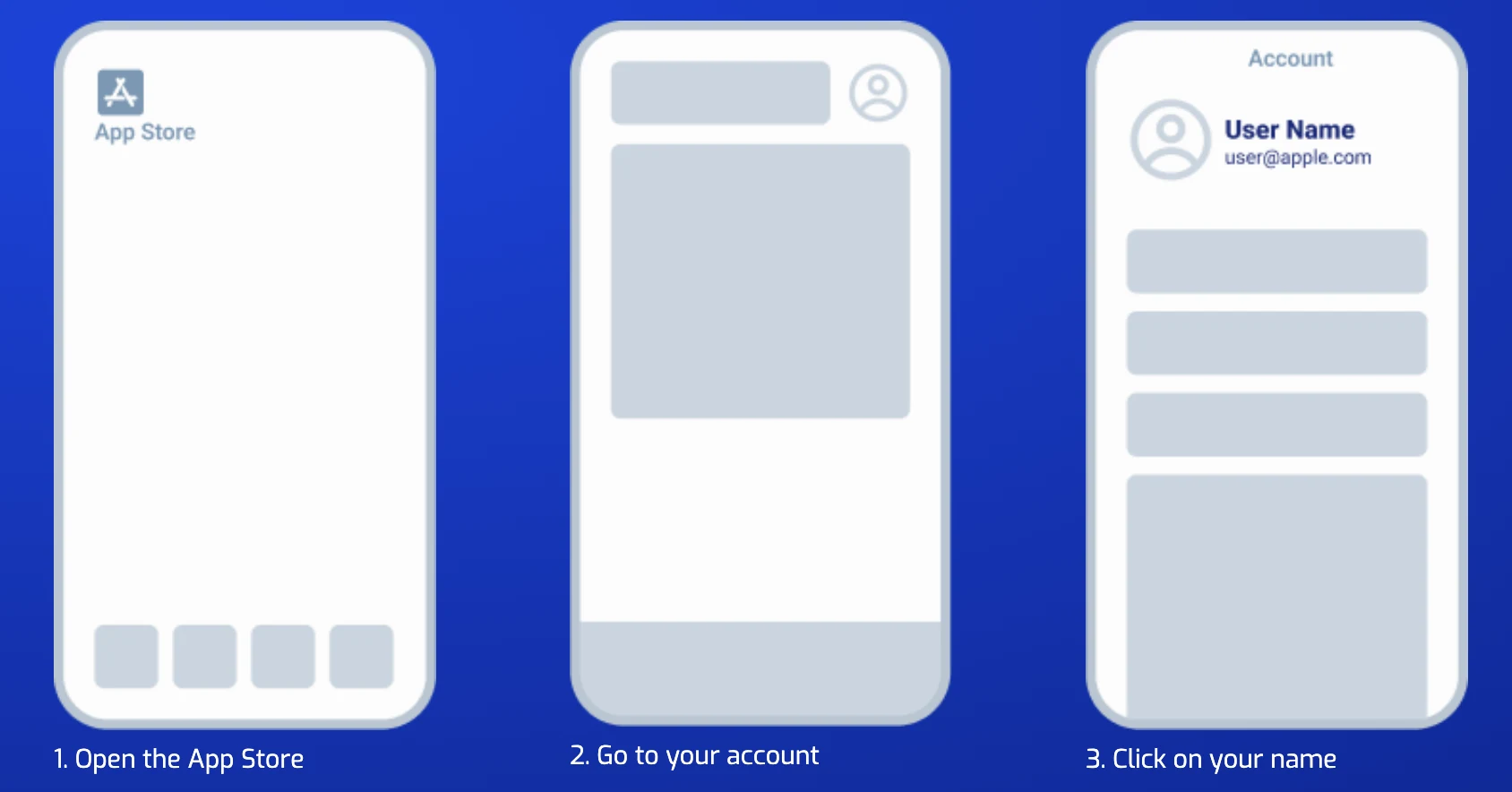
- Open App Store on the iPhone or iPad.
- Open your account from the profile button.
- Tap your name to reach the Apple Account settings.
Choose the store region
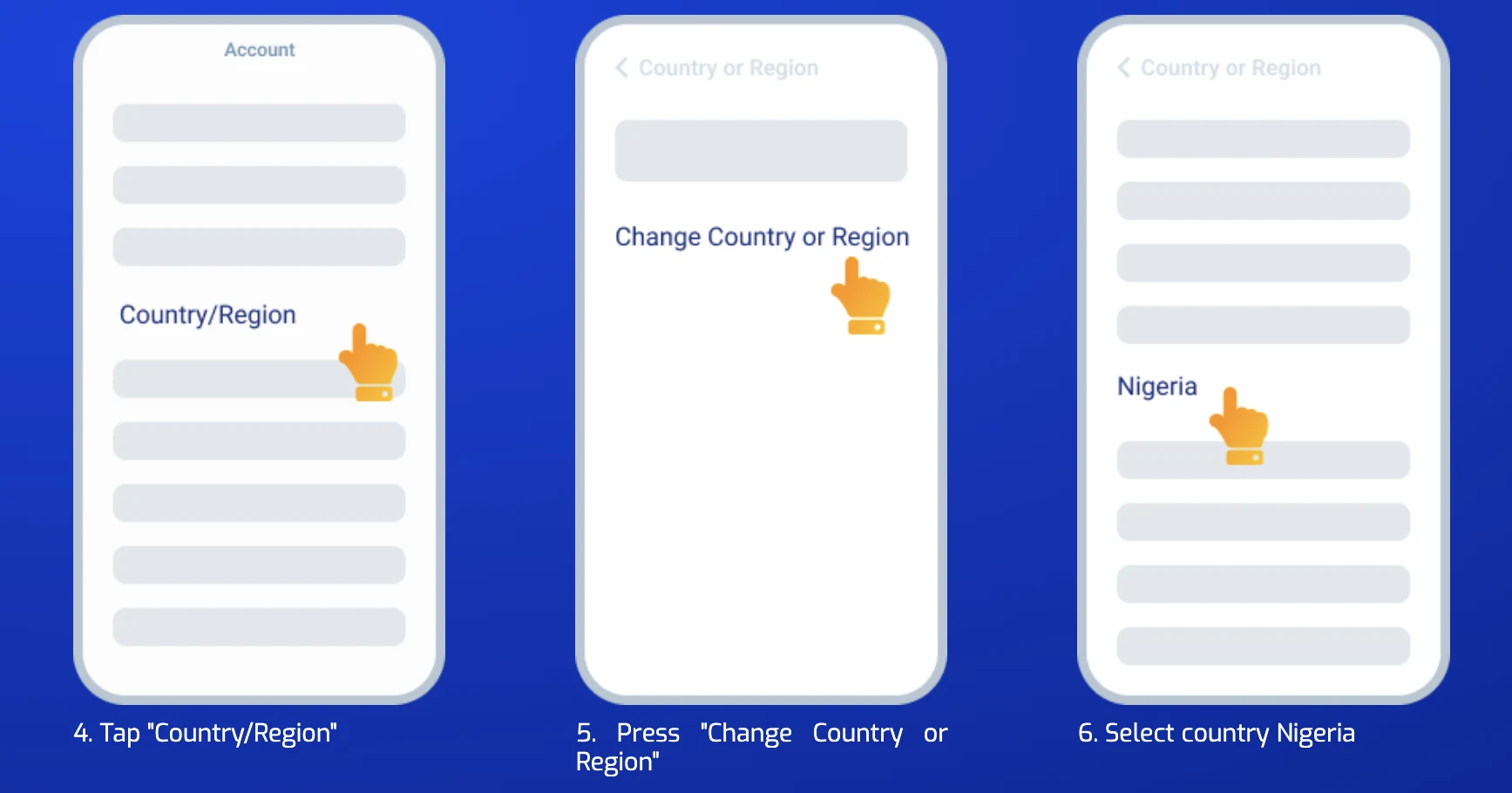
- Tap Country/Region. Apple may ask you to authenticate.
- Choose Change Country or Region.
- Select Nigeria from the list as shown in the PariPesa instructions.
Finish the Apple change and find the app
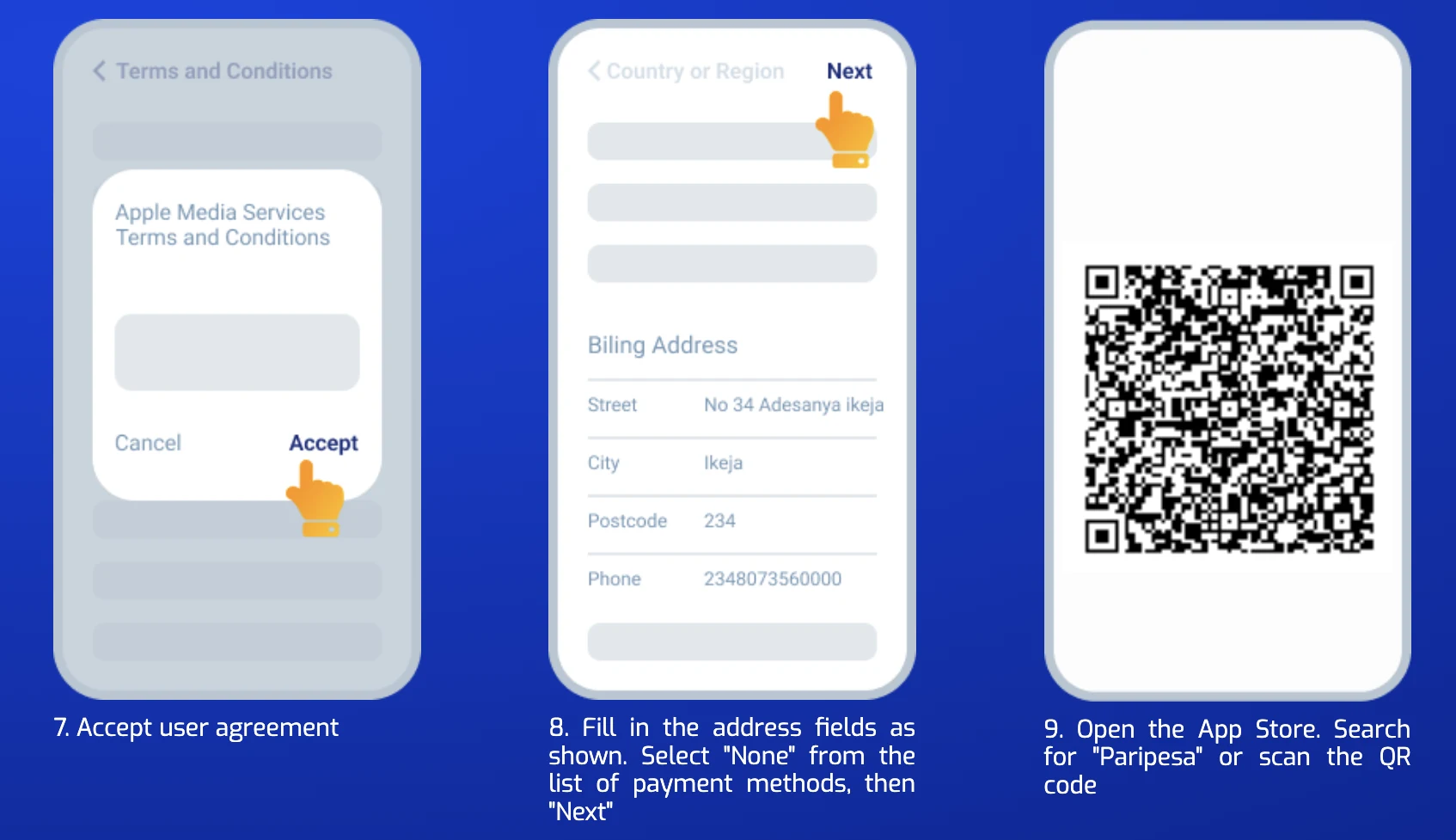
- Review and accept Apple’s terms if you agree.
- Complete the payment and billing screen with your own valid details. Choose None only if Apple offers it for your account, then continue.
- Search for PariPesa in the App Store, check its listing and tap Get. You can also return to the iOS button on the PariPesa landing page.
If the region change is blocked
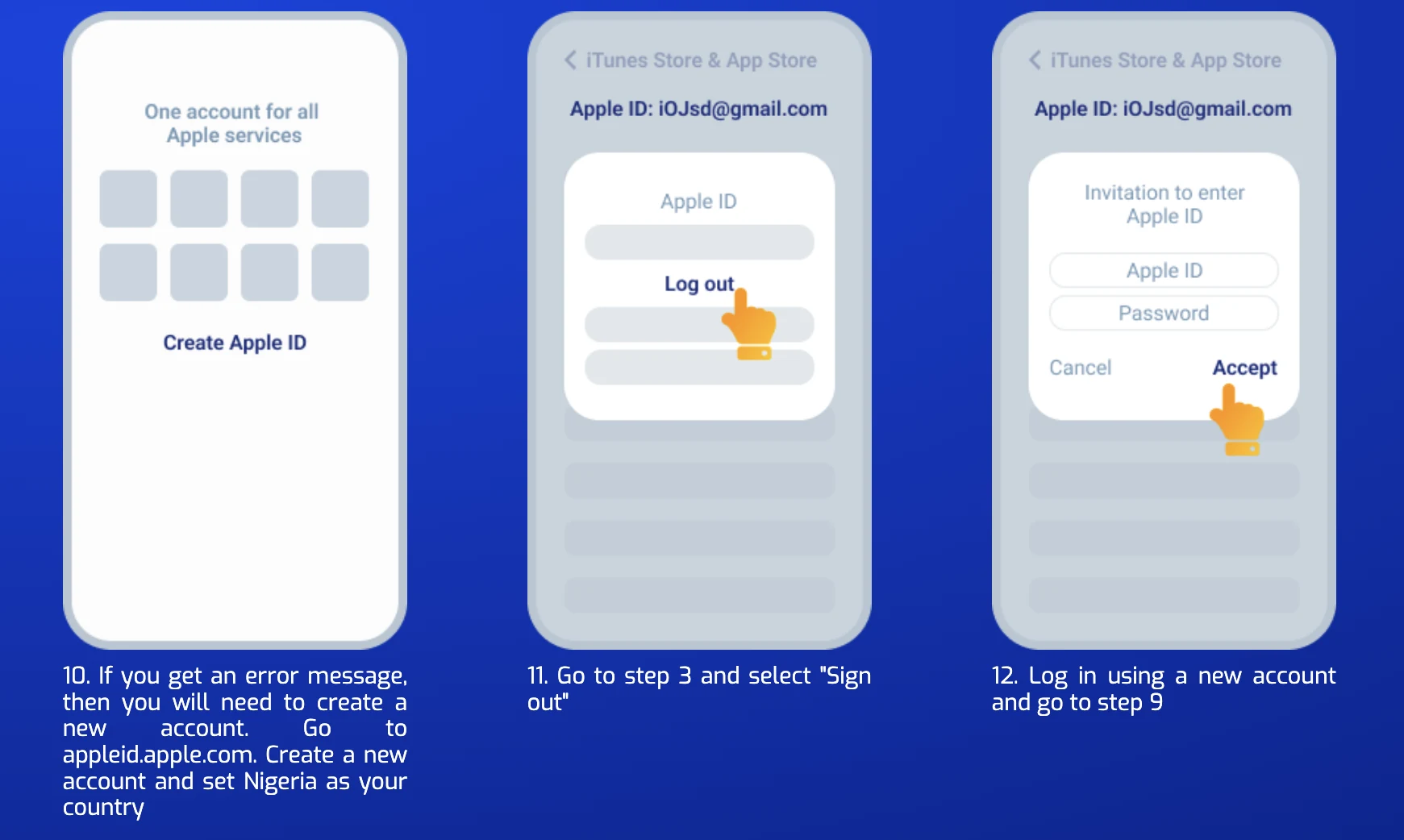
- Check the Apple error. PariPesa’s fallback illustrates a separate Apple Account with Nigeria selected. Create one only if you can complete Apple’s requirements with your own details.
- Sign out of the App Store account you were using, if you choose the separate-account route.
- Sign in with the eligible Apple Account and repeat the App Store search. This Apple sign-in does not replace your PariPesa Rwanda login.
Once the app is installed, open it and sign in using your Rwanda account. If you prefer not to change your Apple store setup, use the mobile website in Safari as described next.
Use the mobile website or add it to your Home Screen
The browser route needs no APK or App Store installation. Open PariPesa on your phone, sign in and use the same sportsbook, games, account settings and RWF cashier.
On iPhone in Safari
- Open the PariPesa mobile page and let it finish loading.
- Tap Safari’s Share button.
- Choose Add to Home Screen, then tap Add.
- Open the new icon and sign in to your Rwanda account.
On Android in Chrome
- Open the PariPesa mobile page in Chrome.
- Open the browser menu and choose Add to Home screen or Install app when offered.
- Confirm Add or Install, then use the Home Screen icon.
App vs. mobile website
| PariPesa app | PariPesa mobile website |
|---|---|
| Needs a compatible download or store listing and device storage. | Opens from the browser without a package or App Store change. |
| Convenient for repeated access on one phone; alerts depend on notification permission. | Works across supported phones and tablets; browser alerts depend on browser settings. |
| App updates arrive through its download or store route. | Page updates appear when the site reloads. |
| Both use the same PariPesa account for sports, casino, promotions, payments and bet history. | |
Free bet for sports bets placed in the app
After opting in and pressing Take part, place your first 10 eligible sports bets in the app. Each needs a stake of at least RWF 3,500. A single needs odds of 1.40 or higher; an accumulator needs at least two selections, each at odds of 1.30 or higher. The free bet is based on the average stake of your first 10 settled qualifying bets and is credited after the offer conditions are met.
Check your bonus account after the bets settle. The separate offer also covers profile verification, excluded markets, the free bet’s accumulator use and one-off eligibility. Read the complete mobile app free bet terms →
App download or login problems
- Android install blocked: approve the APK only for the browser used for this download, complete installation, then restore the previous permission.
- iPhone listing unavailable: use the mobile website or Safari Home Screen route; check the Apple Account’s store region before changing it.
- Login fails: confirm the +250 number or switch to the email/ID associated with your existing account. Use PariPesa’s password recovery on its own login page.
- Balance looks different: confirm that you signed into the same RWF account and inspect the current main and bonus balances before depositing again.